Synchronizing contacts with Salesforce
Contacts now sync automatically between ClientSuccess and Salesforce in real time, so names, titles, and emails import with new accounts instead of by hand.
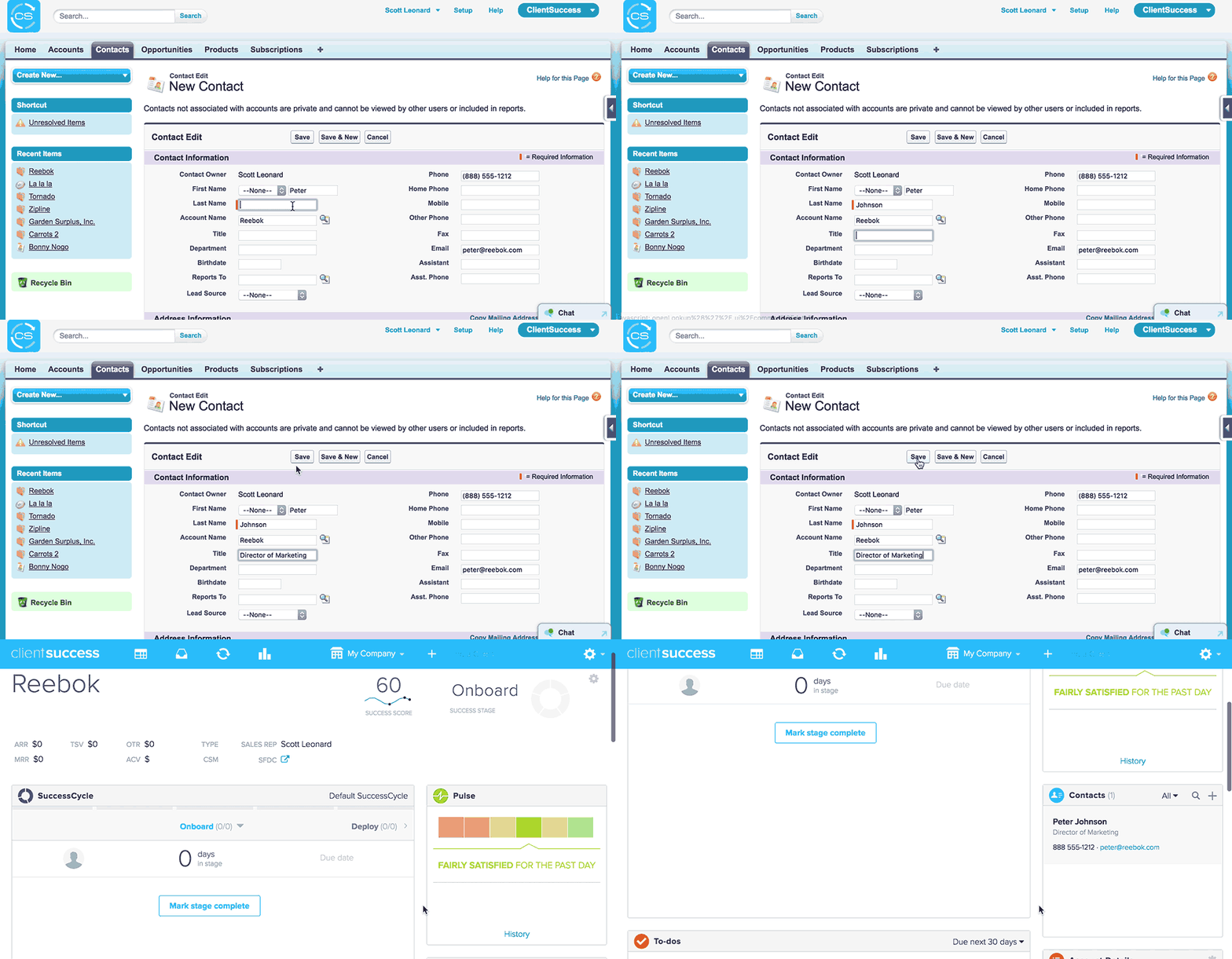
Contacts are now automatically synchronized between ClientSuccess and Salesforce, in real time. This means no more manually entering names, titles, phone numbers, and email addresses of existing contacts—they're automatically imported with new accounts. In addition to a smoother, more accurate hand-off, this also means email will begin importing the moment the new client arrives.
To enable this, you simply need to upgrade to version 3.4 of the ClientSuccess for Salesforce app.
Our Salesforce integration now includes the following features:
- Synchronizing with Salesforce accounts
- Synchronizing with Salesforce contacts
- Synchronizing subscriptions with Salesforce
- Generating subscriptions from opportunities
- ClientSuccess Account View window in Salesforce
- Pushing engagement interactions and notes into Salesforce
Written by
ClientSuccess
Last updated
Share
Get more like this
Customer success insights, delivered to your inbox.