Rich-text Editor Enhancements, including New Toolbar
ClientSuccess adds a new rich-text editor toolbar for engagement and summary notes, plus an enhanced hyperlink feature to link out to outside sources.
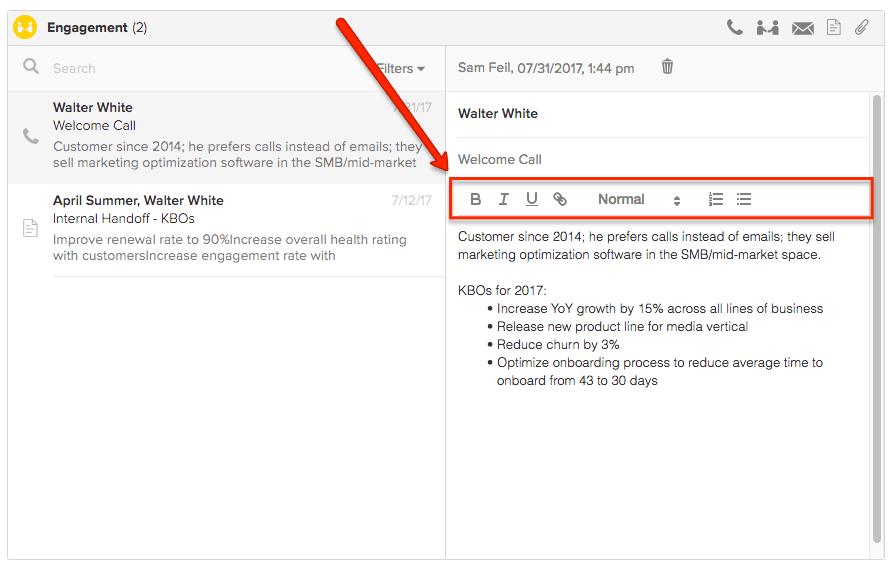
Input: New Rich-text Editor Toolbar
We've brought the formatting of our rich-text editor to a new, clearly defined toolbar for the engagement module and summary app notes. This makes it easier and more familiar than ever to format your notes and engagements.
Other Enhancements
We’ve also enhanced the hyperlink feature of our rich-text editor. This makes it possible to link to outside sources for quick and easy access.
To get started, simply highlight the text you desire to link, click the hyperlink icon, and enter your desired URL*.
Note: You must enter the full https address in order to be redirected to the correct source. You can also edit and remove the link (once entered).
Written by
ClientSuccess
Last updated
Share
Get more like this
Customer success insights, delivered to your inbox.