Filtering tasks
ClientSuccess now lets you filter your global task list by type and due date range on the Alerts & Actions screen, and it remembers your filter preferences.
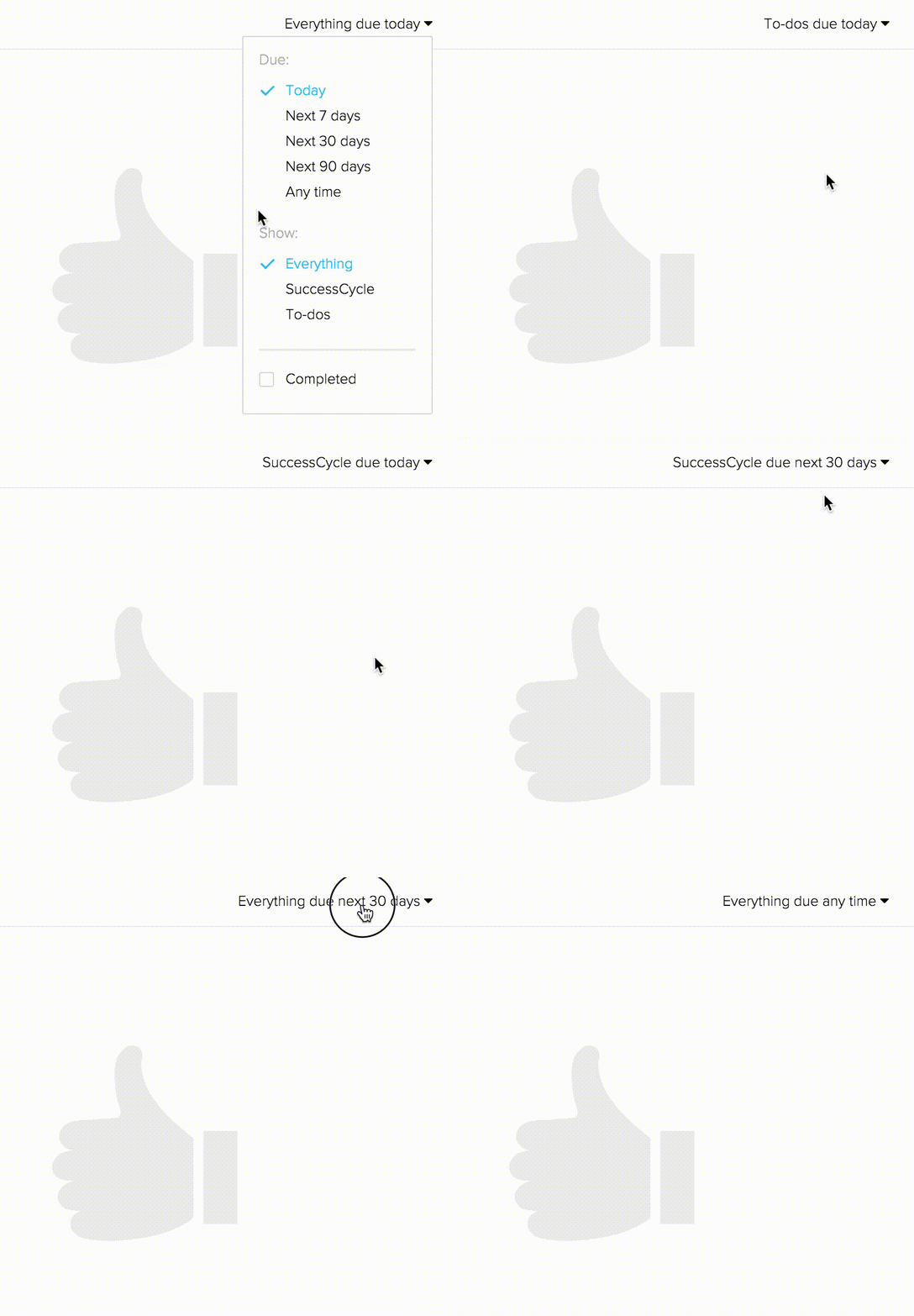
I'm excited to announce that the ability to filter your global list of tasks to show only custom To-dos has been brought back as an option on the Alerts & Actions screen.
The filter has also been simplified, moving the options to control the type of task and the due date range into separate controls. So, whether it's knocking out the items you have to complete before heading home or looking more strategically into the future, you can now filter the list to what works best for you.
You'll also notice that the system now remembers your preference as well—including the filters in the To-do and Usage modules on the individual client record. As you move back and forth between screens in the platform, pull up another client, or even sign back in the next day, you'll find things exactly how you left them.
The default filter for the Usage module has also been changed to "Last 30 days."
Written by
ClientSuccess
Last updated
Share
Get more like this
Customer success insights, delivered to your inbox.