Export segments and ad hoc client lists
ClientSuccess now lets you export Segments, any filtered group, or all of your clients to a CSV, choosing to include all columns or just the visible ones.
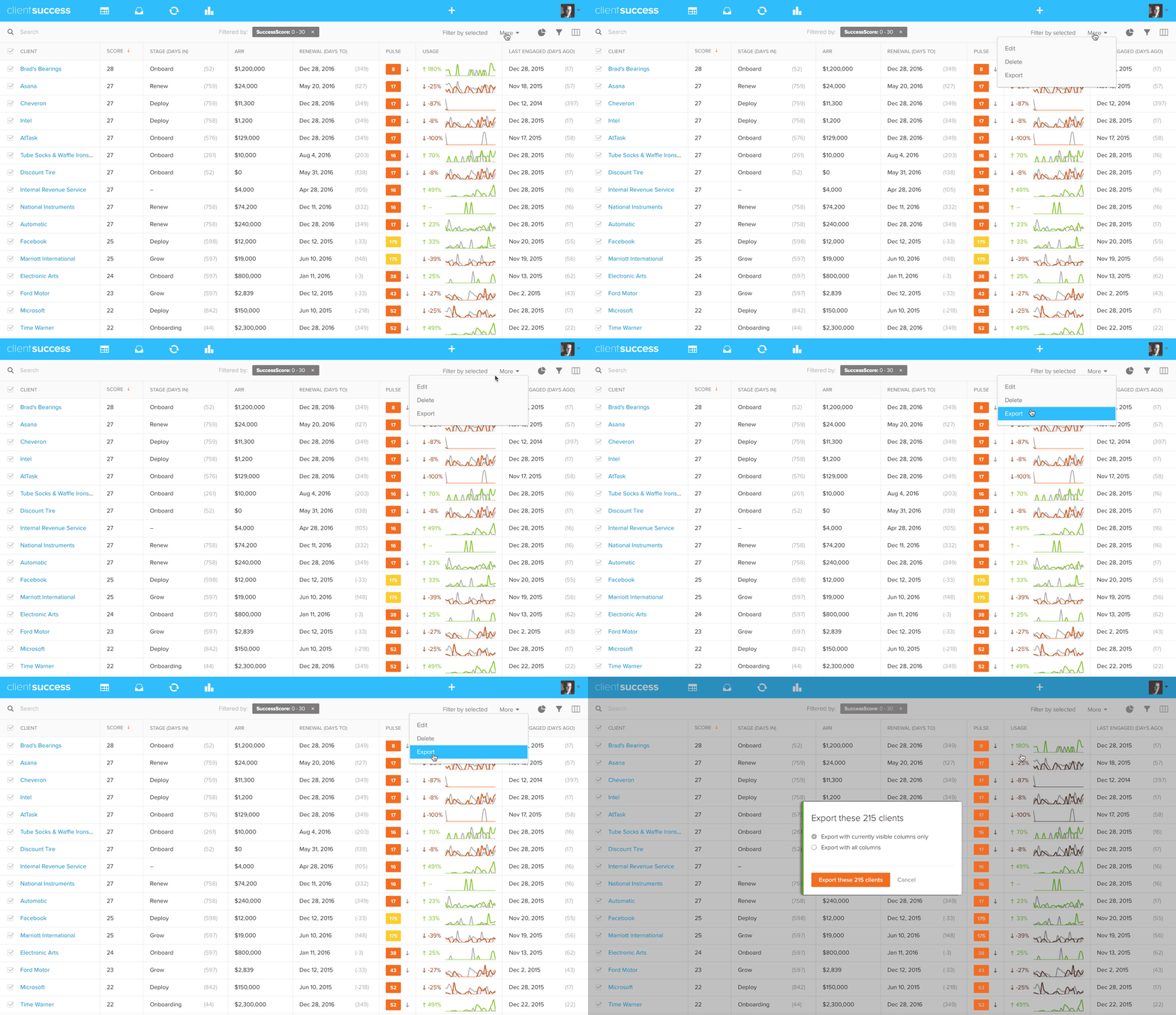
We have added the ability to export Segments, any group you have filter to, or even all of your clients. Select them by checking the select-all checkbox in the column header, then select "Export" from the More menu (in the right-hand side of the toolbar). You'll be given the option to specify whether you want to include all columns or just those that are visible. A CSV file with those clients will then download to your computer.
Written by
ClientSuccess
Last updated
Share
Get more like this
Customer success insights, delivered to your inbox.