New Overview report
A ClientSuccess product update introducing the Overview report, a snapshot of your business with MRR, ARR, TSV, subscription counts, and Client Pulse metrics.
TL;DR
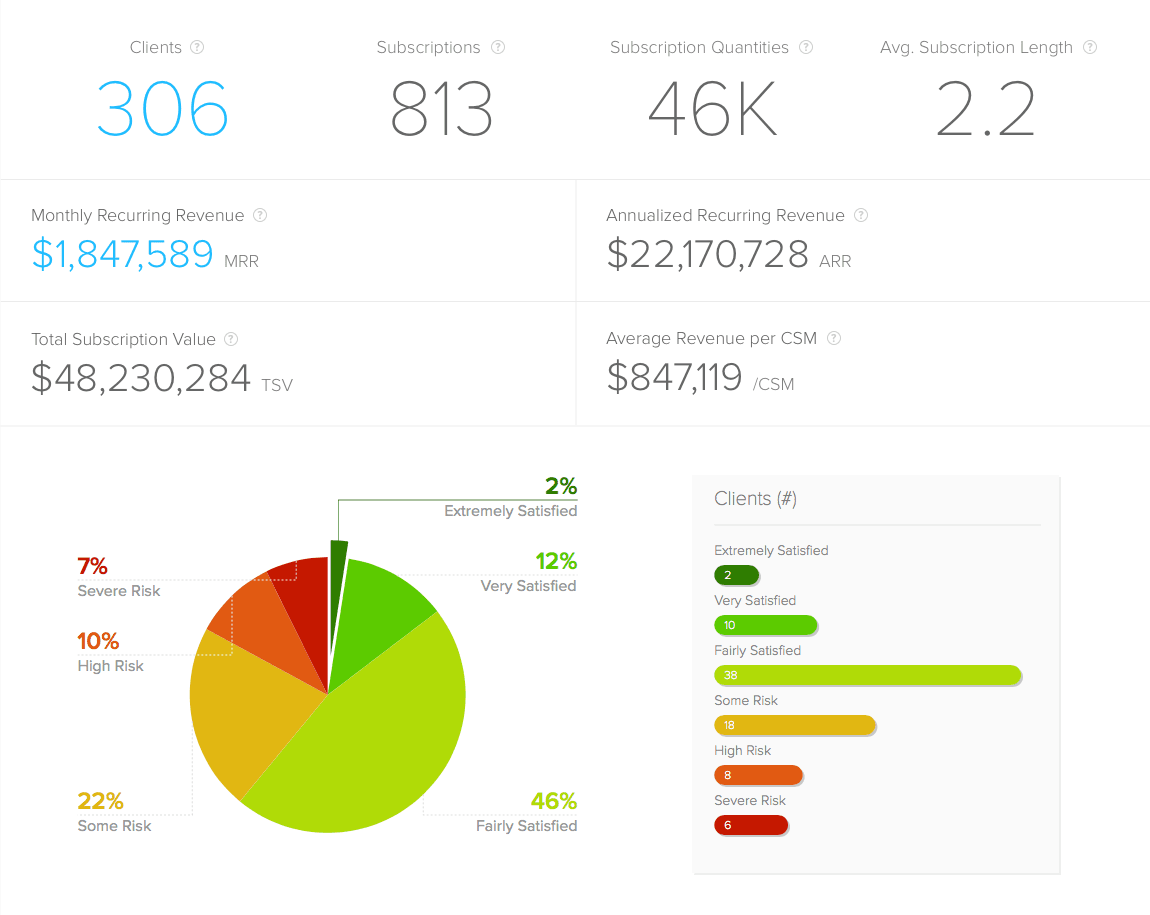
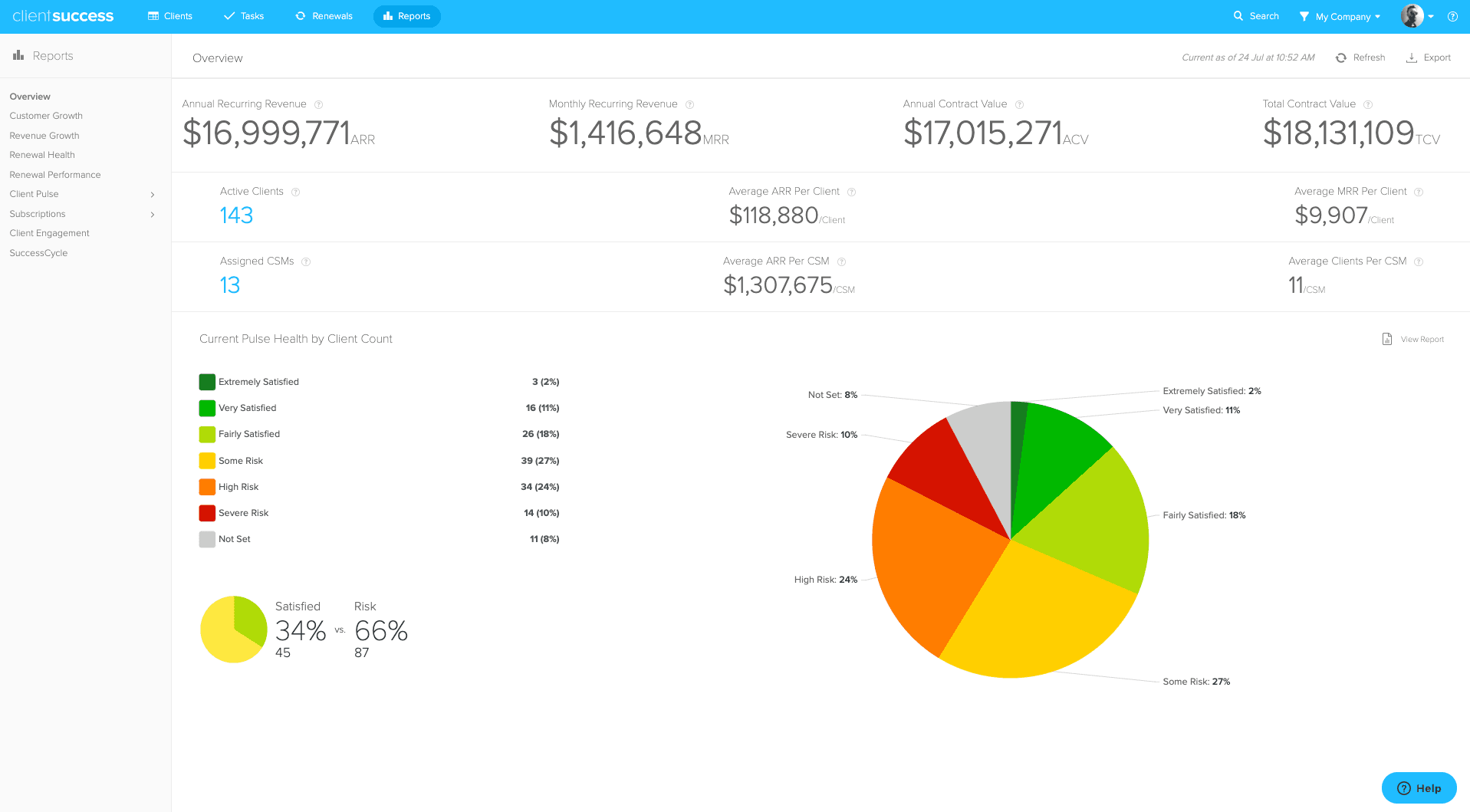
- The ClientSuccess Overview report is a snapshot of the current state of your business in a single view.
- It includes total clients, total subscriptions and quantities, average subscription length, MRR, ARR, Total Subscription Value, average revenue per CSM, and a Client Pulse breakdown.
- Hovering over the question mark icon next to each metric shows its definition.
We have added a new report called Overview. It's a snapshot of the current state of your business and contains the following metrics:
- Total clients
- Total subscriptions
- Total subscription quantities
- Average subscription length
- Monthly Recurring Revenue (MRR)
- Annualized Recurring Revenue (ARR)
- Total Subscription Value (TSV)
- Average Revenue per CSM
- Client Pulse breakdown by percentage
- Client count by Pulse value
Hover over the question mark icon next to each metric for a definition. You can also browse a full list of metrics and their definitions in our knowledge base.
Written by
ClientSuccess
Last updated
Share
Get more like this
Customer success insights, delivered to your inbox.
Frequently Asked Questions
What is the ClientSuccess Overview report?
It's a report that gives a snapshot of the current state of your business in one view. It surfaces high-level metrics so teams can gauge their book of business at a glance.
What metrics does the Overview report include?
The Overview report includes total clients, total subscriptions, total subscription quantities, average subscription length, Monthly Recurring Revenue (MRR), Annualized Recurring Revenue (ARR), Total Subscription Value (TSV), average revenue per CSM, and a Client Pulse breakdown by percentage and count.