
Claude 301 for Customer Success: Automating Your Workflows
Level 201 made your workflows repeatable. Level 301 makes them run without you. The concepts behind CS automation, a build you can ship, and the guardrails that keep it trustworthy.
At level 201 you turned your best prompts into reusable Skills. You still kick each one off by hand. Level 301 is where the work starts running without you: a digest that lands before you log on, a monitor that flags a churn risk before the renewal call, a brief that assembles itself the night before a meeting. This is the level where a CSM stops doing every task and starts directing the ones that matter. It is also the level where trust matters most, so half of this guide is about the guardrails and checks that make an automation safe to rely on. Settle your data policy first, then build, the same as every level before it.
- Automation is the jump from running a Skill to having Claude run a workflow end to end on a trigger, while you review and direct.
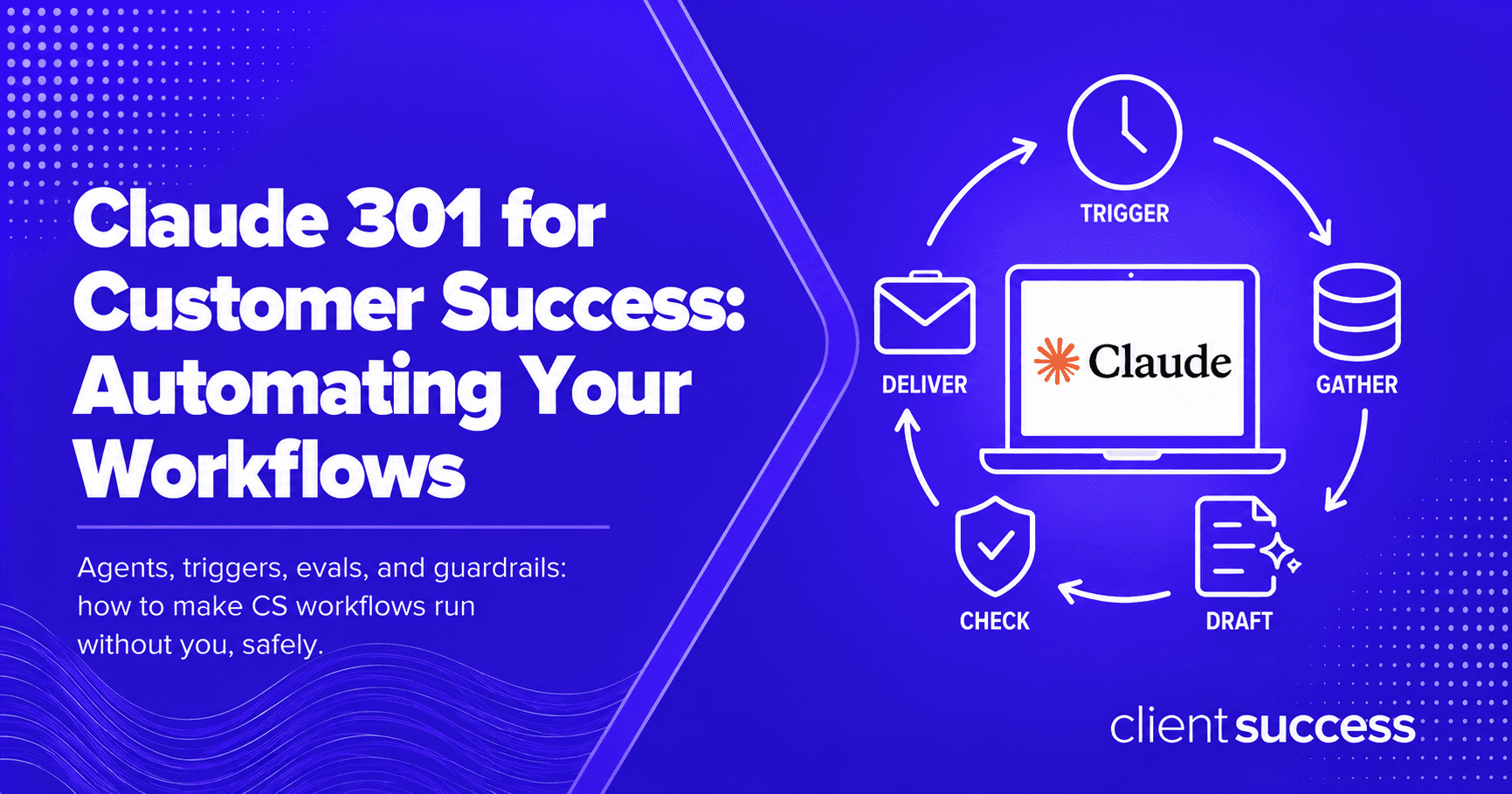
- Every reliable CS automation follows the same shape, the CS Automation Loop: Trigger, Gather, Draft, Check, Deliver. Skip the Check step and you have a liability, not a tool.
- Build one automation first, the Monday health digest is the easiest high-value start, then add a monitor and a triage agent.
- Trust comes from evals and guardrails: a way to know the output is good, and a clear line between what runs on its own and what waits for you. This builds on the Skills and context file from Claude 201.
A CS automation is a workflow Claude runs from start to finish on a schedule or an event, gathering the data, drafting the output, and checking its own work, so a recurring task happens reliably without a person starting it each time.
From doing the work to directing it
Levels 101 and 201 keep you in the driver's seat: you ask, Claude answers; you run the Skill, Claude produces the draft. Useful, but you are still the one who has to remember, open the tab, and paste the inputs. Most of a CSM's recurring work is exactly the kind of remembering and assembling that does not need a human to initiate it.
Automation moves that work off your plate. You define the workflow once, decide when it should run and what it should hand you, and then your job shifts from doing it to reviewing it. The best CSMs at this level are not faster typists. They are running a small set of automations that do the assembling, and spending their freed hours on the judgment and the relationships that only a person can own.
The catch is trust. An automation you do not trust is worse than no automation, because you end up redoing its work and second-guessing it. That is why the loop below has a Check step baked in, and why the back half of this guide is about evals and guardrails.
Every dependable CS automation runs the same five-step loop: Trigger, Gather, Draft, Check, Deliver. Drop the Check step and a fast automation becomes a confidently wrong one, which is the single most common failure mode when teams start automating.
The CS Automation Loop
The repeatable shape of a trustworthy CS automation. Design every workflow around these five steps and the Check step is what separates a tool from a liability.
A schedule (every Monday at 7am) or an event (a health score drops, a renewal enters 90 days). The trigger is what makes it an automation instead of a Skill you remember to run.
Claude pulls the inputs through your connectors: usage, support, CRM activity, calendar. This is where the context file and connectors from 201 pay off.
It runs the Skill against the gathered data and produces the real output: the digest, the risk flag, the brief. Grounded in your playbook and voice.
The step everyone skips. Claude checks its own output against explicit rules (no invented numbers, every claim traced to data) and flags anything low-confidence for your eyes.
The output arrives where you will act on it, an email, a doc, a channel, with the flagged items surfaced first so your review takes minutes, not the whole task.
Build one: the Monday health digest
Start with the highest-value, lowest-risk automation: a weekly digest of your book that lands before you start Monday. It reads, it never sends anything to a customer, and it saves the hour you spend assembling a picture of where things stand. Here is an agent instruction you can adapt. It assumes the context file and connectors from level 201 are in place.
---
name: monday-health-digest
description: Runs every Monday at 7am. Reviews my whole book through the connected
  CRM, CS platform, and support, and delivers a ranked digest of what changed and
  where to spend the week. Read-only. Never contacts customers.
---

# Monday Health Digest

## Trigger
Every Monday 07:00 local. Read-only run.

## Gather
From the connected sources, for every account in my book:
- Health score and the change since last Monday.
- Usage trend over the last 2 weeks.
- Open support tickets, especially P1/P2.
- Days since last meaningful touch, and days to renewal.

## Draft
Produce a one-screen digest with three sections:
1. MOVED: accounts whose health changed, with the trigger for each.
2. AT RISK: renewals inside 90 days with a risk signal, ranked by ARR at risk.
3. FOCUS FIVE: the five accounts I should spend the most time on this week, and why.

## Check (do not skip)
- Every claim must trace to gathered data. Never invent a number.
- Mark any account where the data is incomplete or the signal is ambiguous as
  NEEDS REVIEW at the top, rather than guessing.
- Keep the whole thing to one screen.

## Deliver
Post the digest to my email by 7:30am Monday, NEEDS REVIEW items first.
Notice the loop is all there: a trigger, a gather, a draft, an explicit check, a delivery. The Check section is what lets you trust a digest you did not assemble. Run it manually for two weeks first, confirm it matches what you would have written, then let it run on the schedule.
The CS automations worth building
Once the Monday digest is running and trusted, these are the highest-leverage automations to add, roughly in order of how safe they are to automate:
The account-health monitor. Event-triggered: when a health score drops or usage falls off, it drafts a short risk read and the suggested play, and flags it to you. Read-only, so it is safe to run on its own.
The renewal-prep assembler. When an account enters the renewal window, it gathers the term's usage, support, and goals and assembles the renewal narrative and forecast read a day before your prep. You review and send, it never sends.
The book-triage agent. A deeper version of the digest that reasons across CRM, usage, and support to rank where your week should go, and explains its ranking so you can overrule it.
The call-prep brief. Calendar-triggered: before each customer meeting, it assembles a one-page brief from recent activity and open items, waiting in your inbox an hour ahead.
Notice what is not on the list: anything that contacts a customer on its own. That is a deliberate guardrail, which is the next section.
An automation you do not trust is worse than none, because you redo its work and second-guess it. Trust is the whole product.
Evals and guardrails: how to trust it
Trust is not a feeling, it is a setup. Two practices make an automation safe to rely on.
First, evals: a simple way to know the output is good. For the first two weeks, run the automation in parallel with how you do the task by hand and compare. Keep a short checklist and score each run against it. When it passes consistently, you trust it; when it slips, the checklist tells you where.
- Accuracy: does every number and claim trace to real data, with nothing invented?
- Completeness: did it cover the whole book or task, or quietly drop accounts?
- Judgment: does its ranking or risk call match what you would have concluded?
- Flagging: did it correctly mark the ambiguous and incomplete cases for review instead of guessing?
- Voice: for anything customer-facing, does it sound like you and your playbook?
Second, guardrails: a clear line between what runs on its own and what waits for a human. A simple rule that holds up well in CS:
- Read-only and internal can run on its own: digests, monitors, internal briefs, risk flags. The worst case is a bad summary you catch on review.
- Anything customer-facing waits for you: an automation can draft the email, the renewal narrative, or the QBR, but a person reviews and sends. Always.
- Low-confidence escalates, never guesses: when the data is thin or the call is ambiguous, the automation flags it for review rather than inventing an answer.
Keep customer data inside the policy you settled at level 101, and confirm what each connector exposes before an automation runs on a schedule against it. An automation runs more often than you do by hand, so a data mistake repeats more often too. This gets easier when the connector is read-only by design. The ClientSuccess MCP server, for example, can retrieve data but cannot write anything back, so a scheduled automation has no way to change a record by mistake.
Where this sits on the path
Level 301 assumes the context file, Skills, and connectors you built at level 201, and it sets up level 401, where these automations become shared team assets with governance and measurement, covered in the 90-Day AI Fluency Plan and the CS AI Enablement Maturity Model, both coming next in this series. If you want the whole map, start with the CS Leader's Guide to Mastering Claude.
Your move
- Automate the Monday digest first. Adapt the agent instruction above, run it by hand for two weeks against your own version, then put it on the schedule once it matches.
- Write the Check step before the Trigger step. Decide how you will know the output is good before you decide when it runs. The Check is what makes the automation safe to ignore until it flags you.
- Draw your auto-versus-review line and keep it. Read-only and internal can run on its own; anything customer-facing waits for a human. Write it down so it does not erode as you get comfortable.
- Skipping the Check step. A fast, confident, wrong automation costs more trust than it saves time.
- Automating customer-facing actions. Let Claude draft the email or renewal note; a person reviews and sends, every time.
- Going straight to a schedule without running it by hand first. Two weeks of parallel runs is how you earn the right to stop watching.
- Letting it guess when data is thin. A good automation escalates the ambiguous case; it does not invent a number to fill the gap.
- Forgetting that automations repeat. A data or policy mistake you would catch once by hand runs every Monday on a schedule.
- Jumping to 301 without the 201 foundation. Automations are only as good as the context file and Skills underneath them.
Frequently asked questions
How do you automate customer success workflows with Claude?
What is the difference between a Claude Skill and an automation?
Which CS workflows should you automate first?
How do you make sure an automated CS workflow is accurate?
Is it safe to let Claude run CS automations on a schedule?
Do you need to code to build a Claude automation for CS?
See how ClientSuccess scales the playbook you've built.
Walk through it with a CS-led demo and see how it'd fit your team.